Short answer
To watch IPTV on Apple TV or iPhone, install an IPTV player from the App Store — iPlayTV, IPTVX, Smarters Player Lite or GSE Smart IPTV — and add your provider’s Xtream Codes login or M3U link. Apple does not include an IPTV player, and the app does not supply channels; your subscription does. Setup takes about five minutes, and an Apple TV 4K on Ethernet is one of the smoothest IPTV devices you can buy.
Last updated: October 2026 · Tested on Apple TV 4K (tvOS), iPhone and iPad with a StrimoIPTV line.
Apple devices are excellent for IPTV once the right app is installed. The catch is choosing it: the App Store is full of players with similar names, some free with ads, some paid, and none of them come with channels. This guide shows which app to pick on each Apple device and exactly how to sign in.
The best IPTV apps for Apple TV and iPhone
| App | Devices | Login types | Cost |
|---|---|---|---|
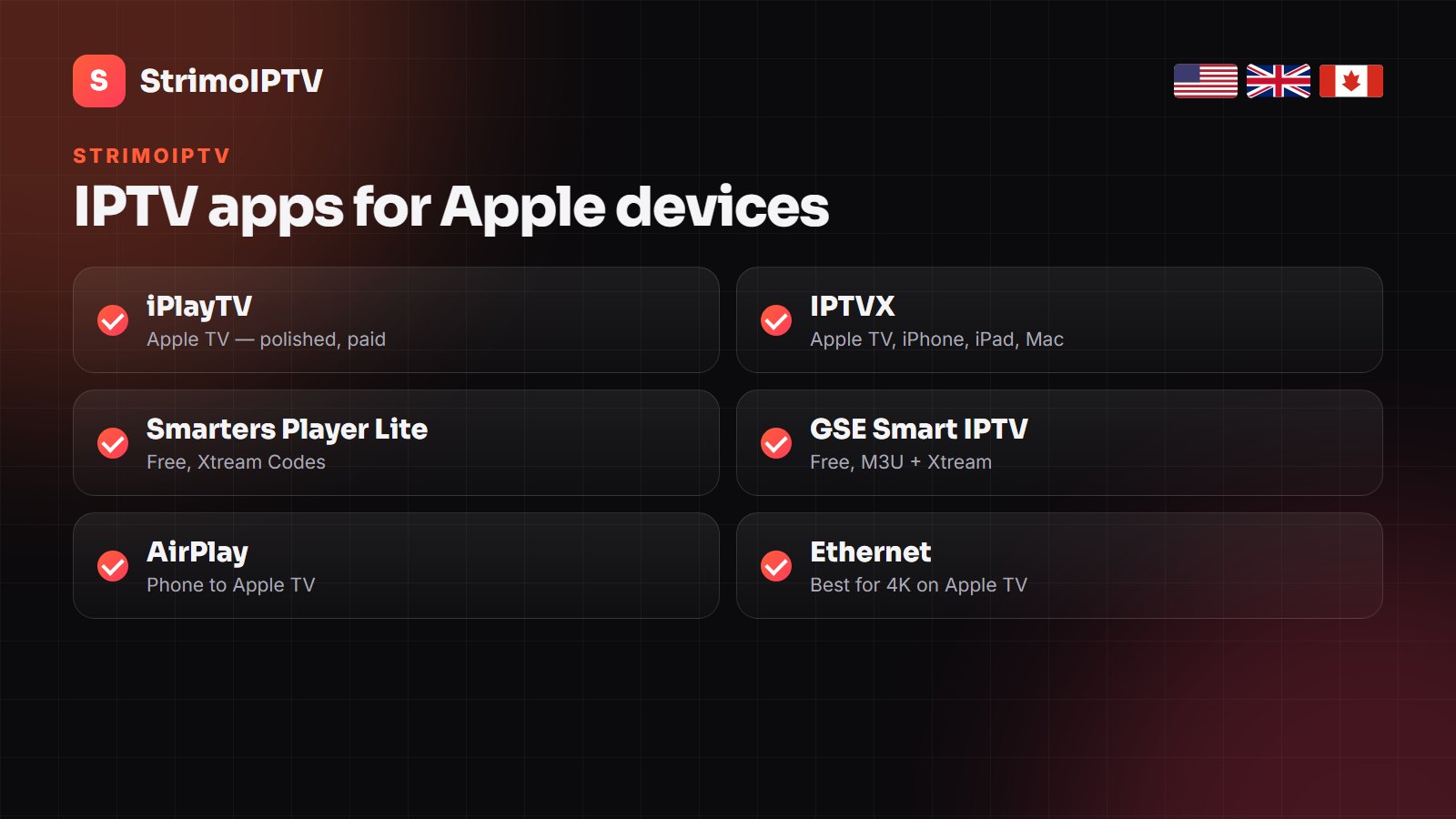
| iPlayTV | Apple TV | M3U, Xtream Codes | One-off purchase |
| IPTVX | Apple TV, iPhone, iPad, Mac | M3U, Xtream Codes | Free tier + paid |
| Smarters Player Lite | iPhone, iPad, Apple TV | Xtream Codes, M3U | Free |
| GSE Smart IPTV | iPhone, iPad, Apple TV | M3U, Xtream Codes | Free with in-app options |
For an Apple TV, iPlayTV and IPTVX give the most TV-like guide. On an iPhone, Smarters Player Lite is the easiest start. More on players in our StrimoIPTV app guide.
How to set up IPTV on Apple TV
- On the Apple TV, open the App Store and search for your chosen player (for example IPTVX or iPlayTV).
- Install and open the app, then choose to add a playlist or account.
- Pick Xtream Codes if offered and enter the server URL, username and password from your provider. Otherwise paste the M3U link.
- Wait a minute while the channels, guide and library load.
- Open Settings in the app and set the guide time offset if programmes look an hour out.
Typing a long server address with the Siri Remote is slow. Many Apple TV players let you add the login from your iPhone on the same Wi-Fi, or by scanning a QR code — use that if it is offered.
How to set up IPTV on iPhone and iPad
- Install Smarters Player Lite, IPTVX or GSE Smart IPTV from the App Store.
- Choose Login with Xtream Codes API and enter any name plus your username, password and server URL.
- Tap Add User; the channels and VOD load.
- To watch on the big screen, use AirPlay to the Apple TV, or install the player on the Apple TV itself for a smoother picture.
Apple TV, iPhone or AirPlay: which should you use?
| Option | Best for | Watch out for |
|---|---|---|
| Player on Apple TV | Living-room TV, 4K sport, the TV guide | Typing the login with the Siri Remote |
| Player on iPhone / iPad | Watching in bed, travelling | Small screen, battery |
| AirPlay from iPhone | Quick one-off viewing | Lower quality, phone stays busy |
For everyday viewing, install the player on the Apple TV itself and keep the iPhone app for when you are away from home. The same StrimoIPTV login works on both, within the screens your plan allows.
Settings that stop buffering on Apple devices
- Connect the Apple TV with an Ethernet cable — the single biggest improvement for 4K.
- Set the Apple TV’s video format to match your TV (Settings > Video and Audio) and enable Match Frame Rate.
- In the player, choose the FHD version of a channel when the 4K feed stutters.
- Allow about 25 Mbps per FHD stream and 35 Mbps or more for 4K.
- Keep the player updated; old versions break with new tvOS releases.
If a channel still freezes, our IPTV buffering fix guide covers the rest.
Movies, series and catch-up on Apple devices
Most Apple TV players show the VOD library with posters, descriptions and a resume point, and IPTVX and iPlayTV support catch-up on the channels that offer it. If films load but live channels do not, the line is fine and the problem is a live-stream setting: switch the player’s stream format between TS and HLS and try again.
Common errors and quick fixes
| Error | Fix |
|---|---|
| Invalid login / authorisation failed | Re-type the server URL exactly, including http:// and the port |
| Channels load, no guide | Use the Xtream Codes login or add the EPG URL; set the time offset |
| Black screen on a channel | Try the channel’s FHD or HD version, then restart the app |
| App shows no channels at all | Check the subscription has not expired and the line is not in use on too many screens |
More Apple and setup guides
From other IPTV sites, if you want a second walkthrough:
- IPTV on Apple TV — KiloTV’s version, with notes on tvOS updates.
- How to set up IPTV on any device — Nartiel8K’s step-by-step for every screen in the house.
- Best IPTV player apps — Tivo8k compares the players across platforms.
- Xtream Codes vs M3U — Nexomir on which login type to choose in your app.
Frequently Asked Questions
Can you watch IPTV on Apple TV?
Yes. Install an IPTV player such as iPlayTV or IPTVX from the Apple TV App Store and add your provider’s Xtream Codes login or M3U link.
What is the best IPTV app for Apple TV?
iPlayTV and IPTVX give the most TV-like experience on Apple TV. Smarters Player Lite and GSE Smart IPTV are free alternatives.
Is there a free IPTV app for iPhone?
Yes. Smarters Player Lite and GSE Smart IPTV are free on the App Store. The app is free; the channels come from your subscription.
Can I AirPlay IPTV from my iPhone to my TV?
Yes, most players support AirPlay. For the smoothest picture, though, install the player on the Apple TV itself.
Does StrimoIPTV work on Apple TV and iPhone?
Yes. StrimoIPTV provides standard Xtream Codes and M3U details that work in every app in this guide.
Watch StrimoIPTV on your Apple TV tonight
Try the full channel list on your own Apple TV or iPhone first, then pick a plan that fits your household.